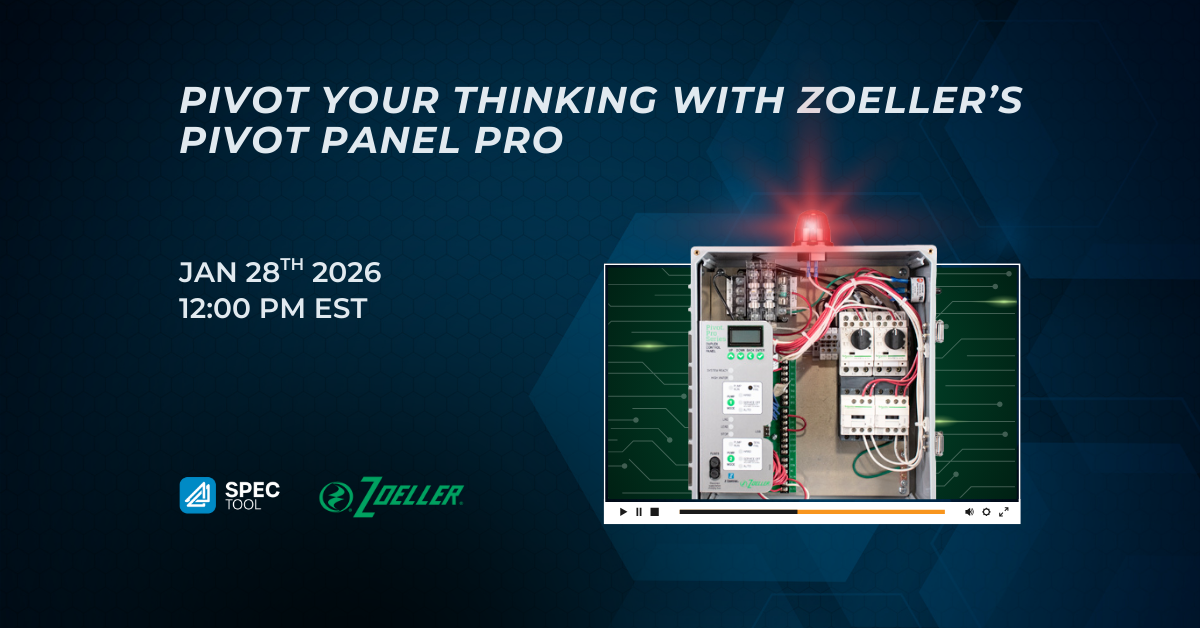
Pivot your thinking with Zoeller’s Pivot Panel Pro
Chapter 1: Introduction to ATS University and ATS Tool
- ATS University is back for its 26th season, offering valuable sessions for engineers and design professionals.
- ATS is a product selection and configuration tool for mechanical products like water heaters, pumps, and piping.
- The ATS spec tool allows users to configure products and download them in various formats for free, thanks to sponsors.
Chapter 2: Introduction to Zoeller Company and Pivot Series Control Panels
- Darren Meyers from Zoeller Company introduces the Pivot series of control panels, manufactured in Canada by Tulsar, a division of Zoeller.
- Zoeller decided to produce its own control panels to ensure seamless integration with its pumps and to control its supply chain and product innovation.
- The Pivot series aims to simplify control panel selection by including a majority of desired options as standard.
Chapter 3: Pivot vs. Pivot Pro: Features and Functionality
- The Pivot is a single-phase, lower-cost control panel for residential or light commercial use without an LCD screen.
- The Pivot Pro is available in single and three-phase, featuring an LCD screen for alarm conditions and supports seal fail/thermal monitoring.
- Pivot Pro can connect to the ZControl cloud system for remote monitoring, notifications, and data storage.
Chapter 4: Control Panel Components and Setup
- QR code on the inner door links to a resource page with helpful information, and a startup tag allows recording of critical installation data.
- Wiring schematics are provided, with dotted lines indicating field connections that need to be made during installation.
- Quick reference guides and full manuals are included, with the quick reference guide distilling the most important information for easy access.
Chapter 5: Key Features and Alarms
- Pivot control panels actively monitor float switches and can initiate a timer-based operation, if needed, to ensure that pumps continue to run and keep the pit pumped down.
- A “service off” mode prevents pumps from running while maintenance is being performed, and it alarms after a set time period (default 4 hours) to prevent pumps from being left in the off state.
- Panels have advanced alarm capabilities, including continuous run monitoring and float switch fault detection.
Chapter 6: ZControl Cloud Interface and Mobile App
- The ZControl cloud interface allows remote monitoring of events, remote silencing of alarms, and configuration changes.
- The mobile app provides convenient access to the system’s features.
- For safety reasons, turning the pump on remotely is not possible.
Chapter 7: ATS Spec Tool Demonstration
- ATS spec tool is a free platform where users can search for and select mechanical components such as pumps and panels.
- Users can utilize the pump sizing tool embedded within the ATS system to properly size and select products.
- The ATS spec tool allows for easy download of product information and specifications in a variety of formats.